



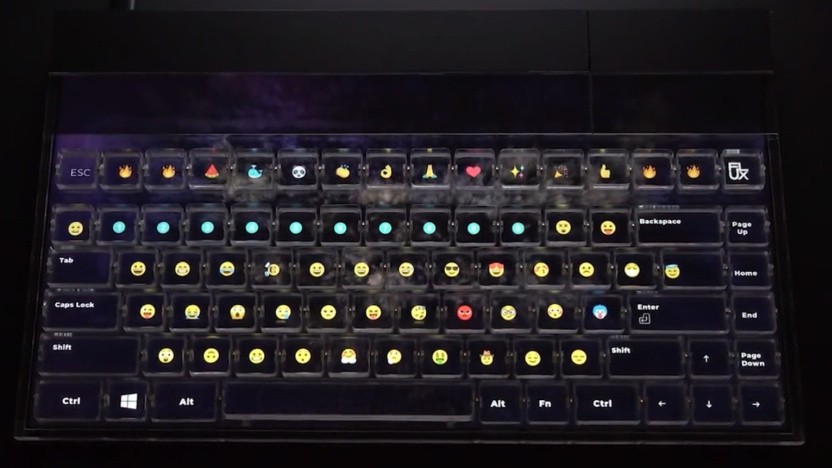
In today’s modern home office, having the right equipment can greatly enhance your productivity and comfort. One innovative tool that has gained popularity is a keyboard with display. These keyboards combine the functionality of a traditional keyboard with a built-in screen, providing quick access to shortcuts, notifications, and other essential information. If you’re wondering how to select the best one for your workspace, this guide will help.
Benefits of a Keyboard With Display
Before diving into the selection process, it’s important to understand the advantages of a keyboard with display:
- Improved Productivity: Quick access to apps, macros, and notifications without switching screens.
- Enhanced Customization: Many keyboards with displays allow users to program keys, display useful information, or even show media controls.
- Modern Aesthetic: They offer a sleek, tech-forward look that complements a contemporary home office setup.
Understanding these benefits will help you assess whether a keyboard with display fits your workflow and style.
Factors to Consider When Choosing a Keyboard With Display
Selecting the right keyboard requires careful consideration. Here are the key factors to evaluate:
1. Display Type and Size
Some keyboards feature small OLED screens, while others offer larger LCD panels. Think about what you want to display—notifications, application shortcuts, or even customizable graphics—and choose a display size that meets your needs.
2. Key Switch Preferences
Mechanical, membrane, or hybrid switches can affect typing feel and noise level. If you spend long hours typing, consider switches that provide comfort without fatigue.
3. Connectivity Options
Most keyboards connect via USB or Bluetooth. Wireless keyboards offer flexibility, while wired connections provide stability and zero input lag.
4. Software Integration
Look for keyboards with software that allows you to program keys and customize display content. The more versatile the software, the better the keyboard can adapt to your home office workflow.
5. Price vs. Features
While keyboards with displays can be more expensive than standard keyboards, they are an investment in productivity. Compare features like display quality, customization options, and durability to find the best value.
Setting Up Your Keyboard With Display at Home
Once you’ve chosen a keyboard with display, proper setup is key:
- Place it ergonomically to reduce strain.
- Install necessary drivers or software for full functionality.
- Customize the display to show the information most useful for your workflow.
By personalizing the setup, you can ensure that your new keyboard truly enhances your home office experience.
Conclusion
Choosing a keyboard with display for your home office doesn’t have to be complicated. By evaluating display type, key switches, connectivity, software, and budget, you can find a device that boosts both productivity and comfort. A well-chosen keyboard with display not only streamlines your workflow but also adds a touch of modern technology to your workspace.
