



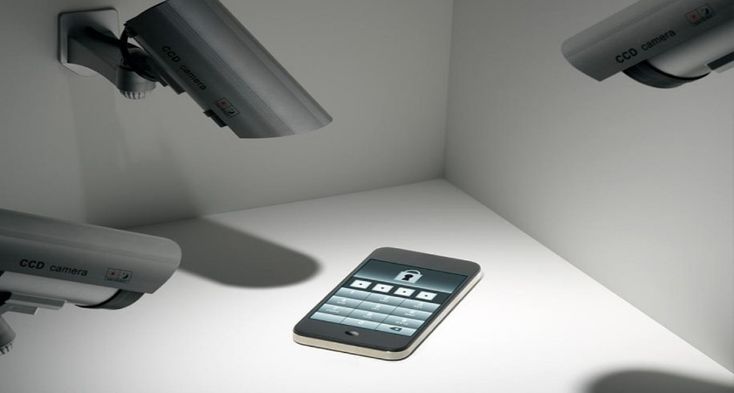
In a time when devices are integral to our daily lives, parents, employers, and individuals are increasingly interested in tools that help monitor Android activity responsibly and transparently. Google Family Link provides a solid baseline for parental controls, but many situations call for more advanced features. Third‑party Android tracking apps can offer deeper insights into location, app usage, screen time, and digital habits—all while maintaining user consent and privacy. This article explores the top third‑party android spy apps trackers available today and compares their capabilities to help you choose the right solution for your needs.
Why Use Third‑Party Android Trackers?
Google Family Link is a free, user‑friendly tool designed primarily for parents to manage children’s devices. It enables screen time limits, app approvals, and basic location sharing. However, it has limitations:
-
It lacks advanced reporting on app usage patterns.
-
It does not provide detailed location history or geofencing alerts.
-
It cannot monitor multiple devices under a single account with comprehensive dashboards.
-
It is not designed for workplace device management.
Third‑party Android trackers fill these gaps by offering richer feature sets, customizable reporting, and broader device support. These tools should always be implemented with consent and used in compliance with privacy laws.
Key Features to Look For
When comparing third‑party Android trackers, focus on the following features:
-
Real‑Time Location & History – See where devices are now and where they have been.
-
App Usage Reports – Understand how much time is spent in each app.
-
Screen Time Controls – Set schedules and limits for device use.
-
Alerts & Geofencing – Get notifications when a device enters or leaves defined areas.
-
Remote Management – Adjust settings from a central dashboard.
With these criteria in mind, here’s a comparison of some of the best Android tracker apps beyond Google Family Link.
1. Life360
Life360 has grown from a simple family locator into a powerful tracking platform. It goes beyond basic location sharing to offer:
-
Detailed location history with timestamped entries.
-
Driving safety features such as crash detection and speed alerts.
-
Geofencing to notify when family members arrive at or leave home, school, or work.
-
Check‑in alerts that members can send manually.
Life360 is designed for families who want visibility into where their loved ones are and how they are traveling. It’s less focused on app usage and screen time, but its location features are some of the most robust available.
2. Qustodio
Qustodio is among the most comprehensive parental control and tracking solutions. It emphasizes both monitoring and digital wellbeing:
-
App activity monitoring to see which apps are used and for how long.
-
Web filtering to block inappropriate content.
-
Detailed reports on calls, SMS, and social media use.
-
Custom screen time schedules to manage device access.
Qustodio’s strength is its balance between control and insight, making it ideal for parents who want a full picture of their child’s digital habits and location.
3. Bark
Bark takes a more proactive approach to safety monitoring, especially for teens and preteens:
-
Content monitoring for texts, emails, and social media for signs of cyberbullying, self‑harm, or threats.
-
Location check‑ins and history to keep track of physical movement.
-
Alerts to parents when concerning digital activity is detected.
While Bark is not strictly a tracker in the traditional sense, its combination of digital content monitoring and location tools makes it a strong choice for families prioritizing emotional safety and wellbeing.
4. LifeLock/Famisafe
Famisafe, sometimes bundled with identity protection services like LifeLock, offers a suite of features designed for broad digital oversight:
-
Smart parental controls including app management and screen time.
-
Real‑time location with geofencing.
-
Activity reports showing trends over time.
Famisafe’s interface is intuitive and integrates well with Android devices, making set‑up and ongoing management straightforward.
5. MobiStealth and Business‑Oriented Trackers
For business device management, solutions like MobiStealth and enterprise‑grade Mobile Device Management (MDM) platforms offer:
-
Centralized dashboards managing multiple devices.
-
Compliance reporting for workplace policies.
-
Remote configuration and tracking.
These tools are tailored to corporate environments and typically require clear policies and employee consent.
How to Choose
Your choice of tracker should align with your goals:
-
For families focused on safety and location: Life360 or Bark.
-
For comprehensive parental control and app insights: Qustodio or Famisafe.
-
For business device oversight: Enterprise MDM solutions.
Always ensure that monitoring is transparent and consensual. Misuse of tracking tools can violate privacy rights and local laws.
Conclusion
Third‑party Android tracking apps offer a range of capabilities that extend well beyond Google Family Link. From detailed location history and geofencing to app usage analysis and content monitoring, these tools can provide meaningful insights while supporting responsible digital habits. By comparing features and aligning them with your priorities, you can select a tracker that enhances safety, productivity, and peace of mind in the digital age.